

Growing Your Business
Your profile is live — now put it to work. Everything here lives in your Business Dashboard: list what you offer, earn and answer reviews, understand your analytics, promote your business, and stay on top of notifications.
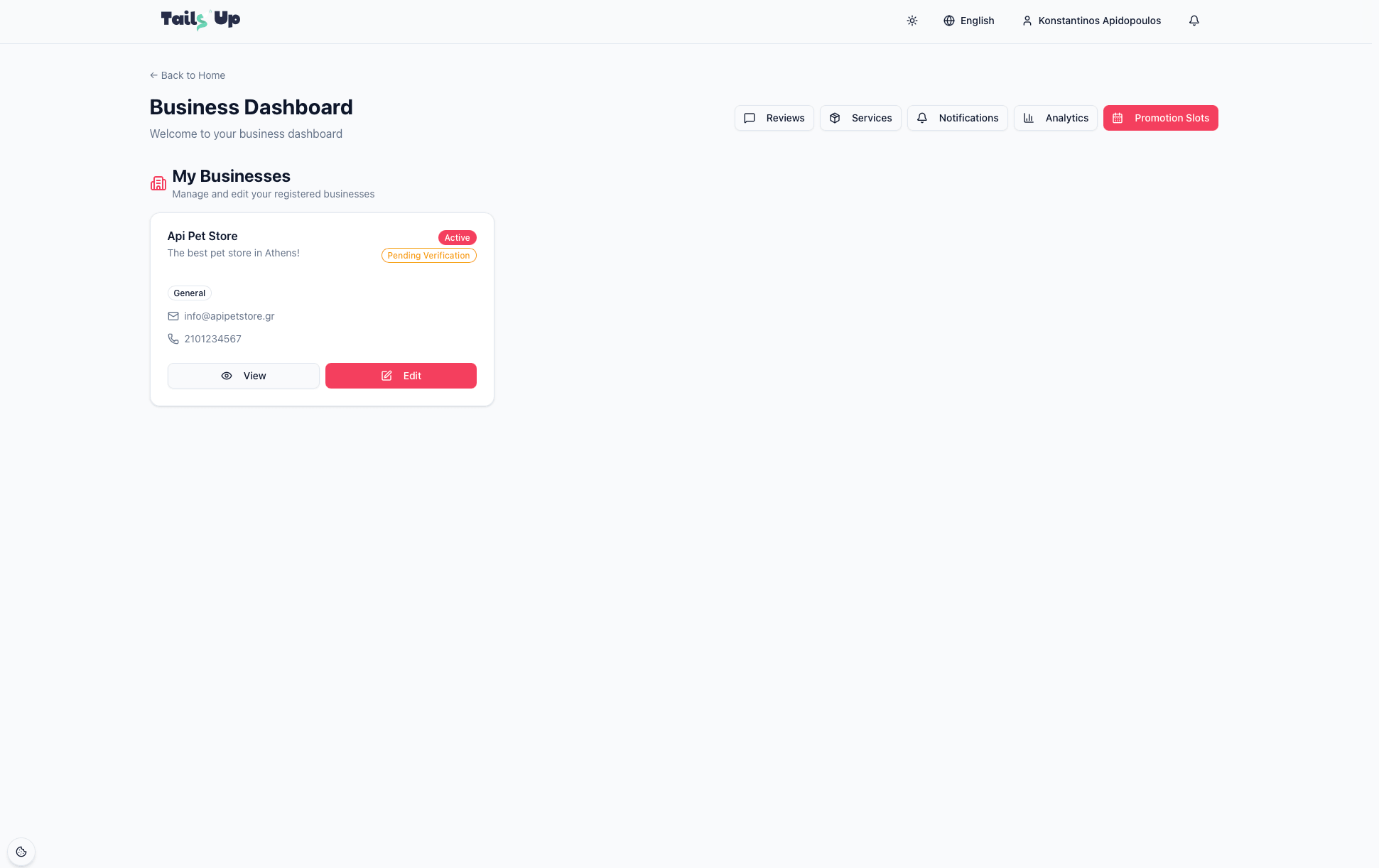
Book promotion slots
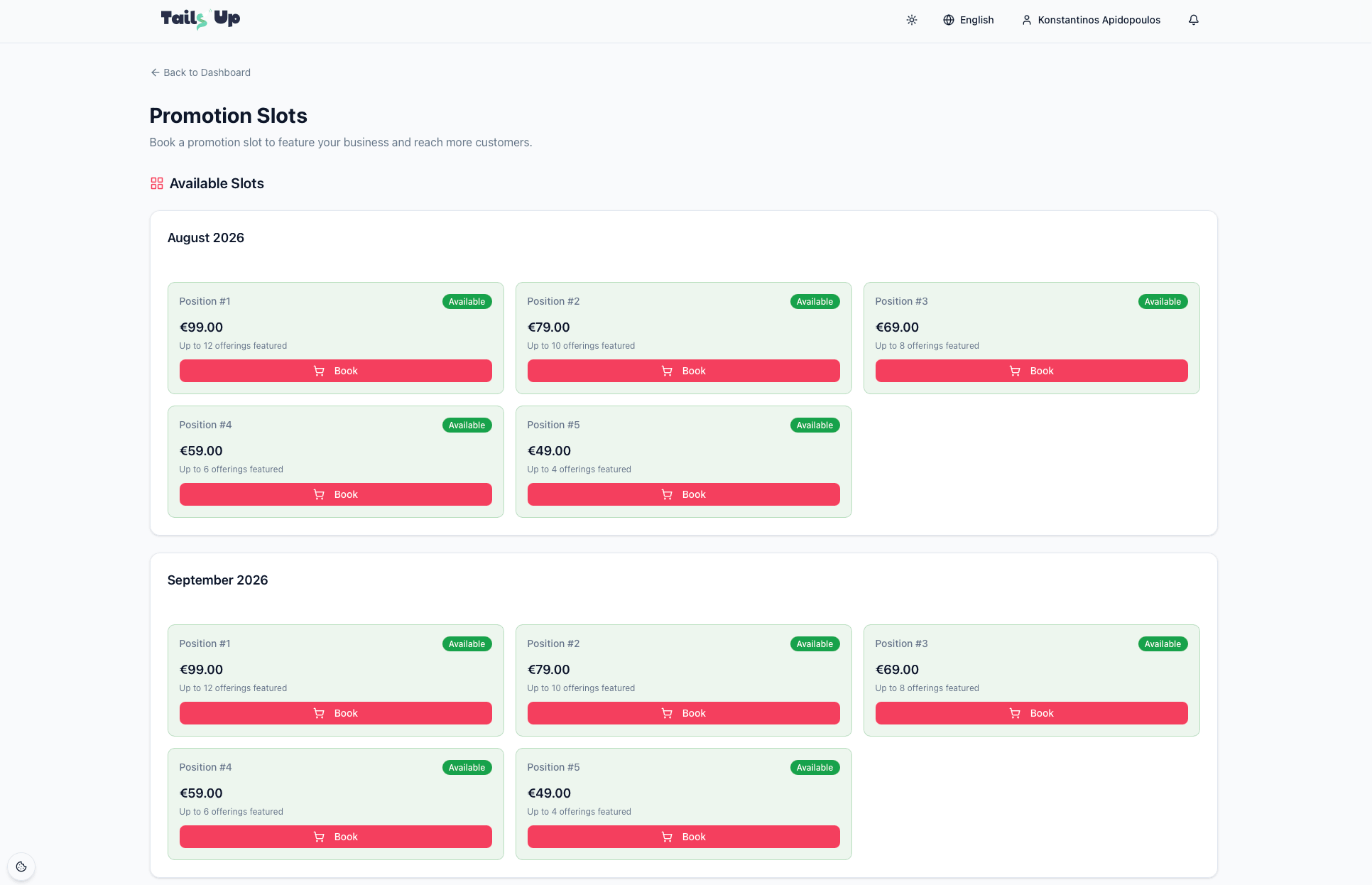
Promotion slots put your business in a featured position so more pet owners see you. Open Promotion Slots to view what’s available and book.
- 1
See available slots
Each slot shows its featured position and how many of your offerings it can spotlight.
- 2
Book your months
Choose a business and select up to 3 consecutive months. You’ll see the per-month price and a running total before you pay.
- 3
Pay securely
Complete checkout (payments are handled by Stripe). On success your slot is reserved and confirmed.
- 4
Manage in “My Bookings”
View your bookings, download receipts, and cancel specific months if plans change — a refund is processed for cancelled months.
Good to know
You need at least one registered business before booking a slot. Booking statuses you may see include Pending, Paid, Active, Refunded, Expired and Cancelled — all visible against each booking.
Create offerings
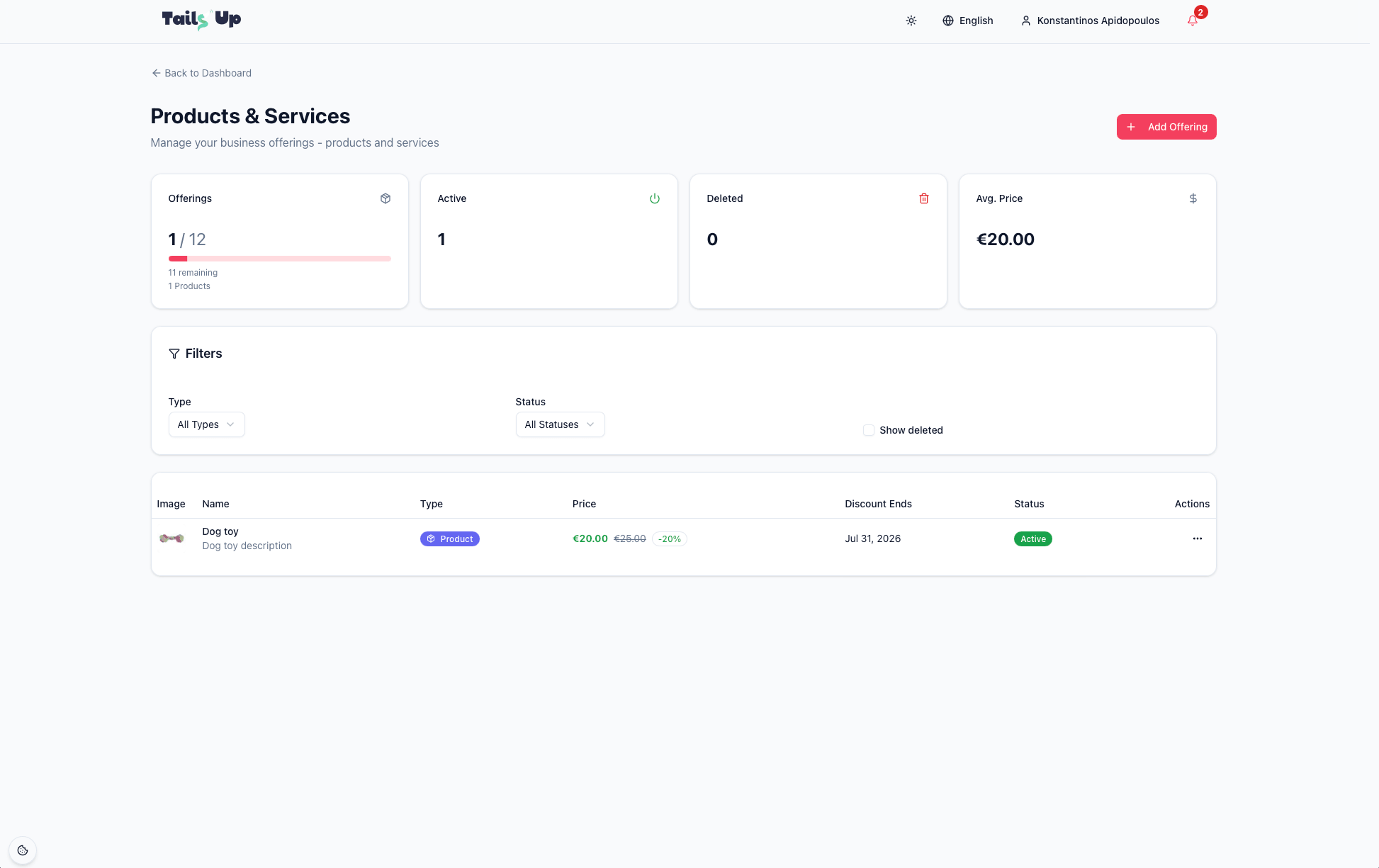
Offerings are what customers see you sell. Open Offerings from the dashboard, then select a business (if you have more than one) to manage its list. There are three types:
Adding an offering
Click Add Offering and complete the form:
- Type
- Product, Service, or Package.
- Name
- What the offering is called (2–100 characters).
- Description
- Optional detail, up to 1,000 characters.
- Price
- The amount you charge. Packages use a discount instead of a fixed price.
- Discount % & End date
- Optional promotional discount and when it stops, with a live price preview. Packages require a discount.
- Display Order
- Lower numbers appear first in your list.
- Image
- Uploaded after the offering is created (JPEG/PNG/WebP, max 5 MB).
- Active status
- Active = visible to customers; inactive = hidden.
From the offerings table you can edit, delete (and later restore) an offering, and manage its image. Filters let you narrow by type and status or show deleted items, and summary stats show your total offerings, how many are active, and your average price.
You need an active promotion slot
Adding offerings requires an active promotion slot for the current month, and the slot's position sets how many you can list (higher positions allow more). Book one from Promotion slots above. Offerings you've already created stay in your account after a slot expires — you just can't add new ones until you have an active slot again.
Respond to reviews
Reviews are one of the strongest signals pet owners use to choose a business. Open Reviews, pick the business, and you’ll see every rating and comment customers have left.
- Sort and filter by newest, oldest, highest or lowest rated, or by star rating.
- Reply to any review with a public response — thank happy customers and address concerns.
- You can update your reply later if needed.
- Review statistics show your average and a trend indicator — Improving, Declining, or Stable.
How to respond well
Reply promptly and politely. Thank people for positive reviews, and for critical ones respond calmly, acknowledge the issue, and explain how you’ll make it right. A thoughtful reply reassures everyone reading.
Understand your analytics
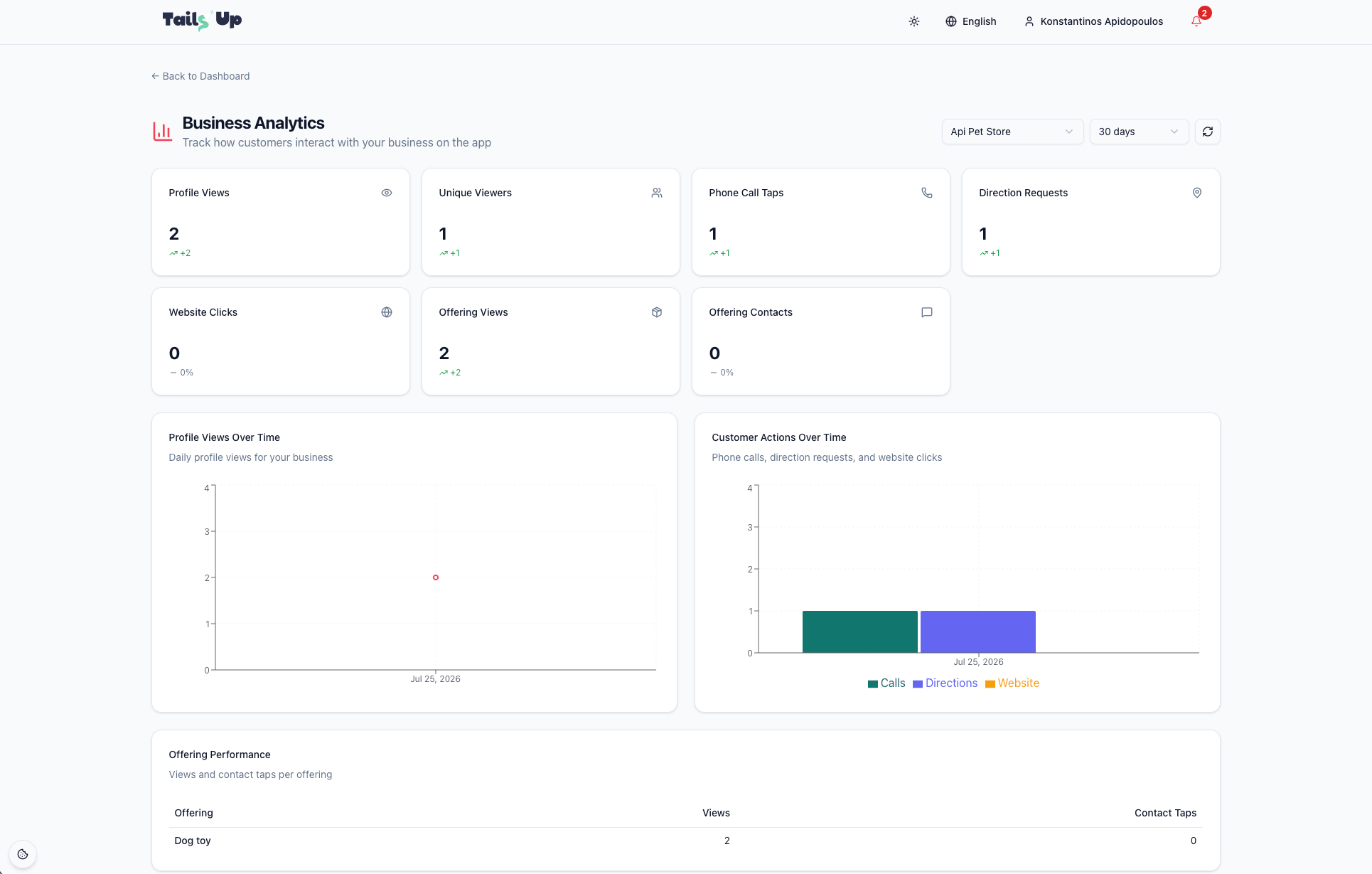
Open Analytics and select a business to see how customers interact with you. Choose a date range — 7, 30, or 90 days — to compare periods.
The metrics you’ll see
- Profile Views
- How often your business page was opened.
- Unique Viewers
- How many distinct people viewed you.
- Phone Call Taps
- Customers who tapped to call you.
- Direction Requests
- Customers who asked for directions to you.
- Website Clicks
- Taps through to your website.
- Offering Views & Contacts
- Interest in individual products and services.
Charts show profile views over time and customer actions over time (calls, directions, website clicks), plus a per-offering breakdown so you can see which products and services draw the most interest.
Turn numbers into action
Lots of views but few calls? Sharpen your description, image, or hours. One offering outperforming the rest? Feature it, or build a package around it. Check analytics weekly to spot trends early.
Stay in the loop with notifications
The Notifications area keeps you updated on what matters. You’ll be notified about:
- New reviews from customers.
- Onboarding and account updates.
- Promotion slot events — booking confirmed, slot activated, expiring soon, expired or cancelled.
Filter by All or Unread, mark items as read, and clear out read notifications when you’re done — so you never miss a review to answer or a promotion about to lapse.
A simple weekly rhythm
- Answer new reviews — reply within a day or two, every time.
- Scan your analytics — note views, calls and your best offering.
- Refresh an offering — update a price, add a photo, or run a short discount.
- Check promotions — book a slot for a busy season or renew one that’s expiring.
- Clear notifications — so nothing important slips by.
Keep growing with Tails Up
A complete profile, fresh offerings, quick review replies, and a well-timed promotion are the recipe for reaching more pet owners. Small, steady upkeep beats big one-off pushes every time.